
Why Negative Prompts in Generative AI Only Prevent Failures You Already Imagined
When prompting an image generation model to depict Edo-period townscapes, our instructions explicitly forbade modern buildings and utility poles in the distance. Instead, the model generated contemporary Shōwa-era houses that violated none of those rules. From signboard lettering that took four rounds to fix to negative constraints swelling to 600 words in video generation, here is what we learned about defining what a scene is made of rather than what to forbid.
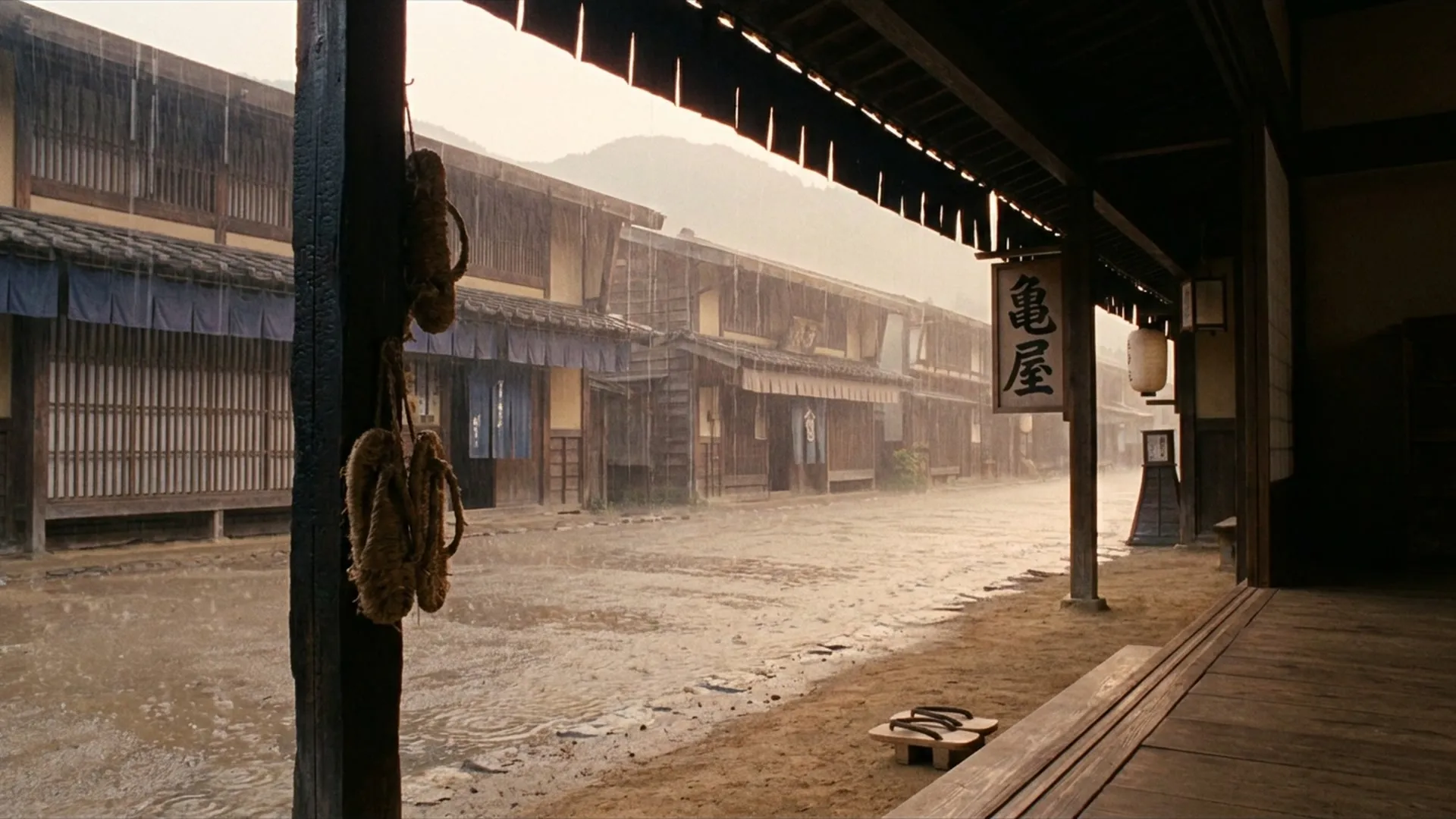
The footage on the YouTube channel Sounds of Rain in Old Japan is generated with AI (the overall pipeline is described in “Running a Video Channel Entirely with AI Agents”). Prompts for generating images are written fresh each time by our AI agent, guided by a growing rulebook we developed over months of production.
At first, most of those rules were negative constraints: “Do not draw square, flat-roofed buildings,” “Do not draw utility poles,” “Do not draw glass.”
Yet, after producing over a hundred videos, one reality became clear: negative constraints only prevent failures the human author was able to imagine in advance. The model slips straight through the gaps in the rules, producing entirely unforeseen forms of unnaturalness.
In this article, I want to share the failures that slipped past our negative prompt constraints, and the trial-and-error journey of learning how to guide generative models toward the scenes we actually intended.
Modern Houses That Obeyed Every Negative Constraint
In late September, while reviewing a scene looking out from the veranda (engawa) of a Kyoto machiya townhouse into a garden, two houses in the background caught my attention. They had the sloped tile roofs of traditional Japanese houses, but they did not look like buildings from the Edo period.
Just before this, the agent’s self-check log had recorded: “All sloped roofs, plaster walls, no utility poles. No issues.”
When I zoomed in on the image, I saw uniformly painted exterior walls, tiles of perfectly uniform size, and straight gutters that looked metallic. They looked like post-war, Shōwa-era Japanese houses.
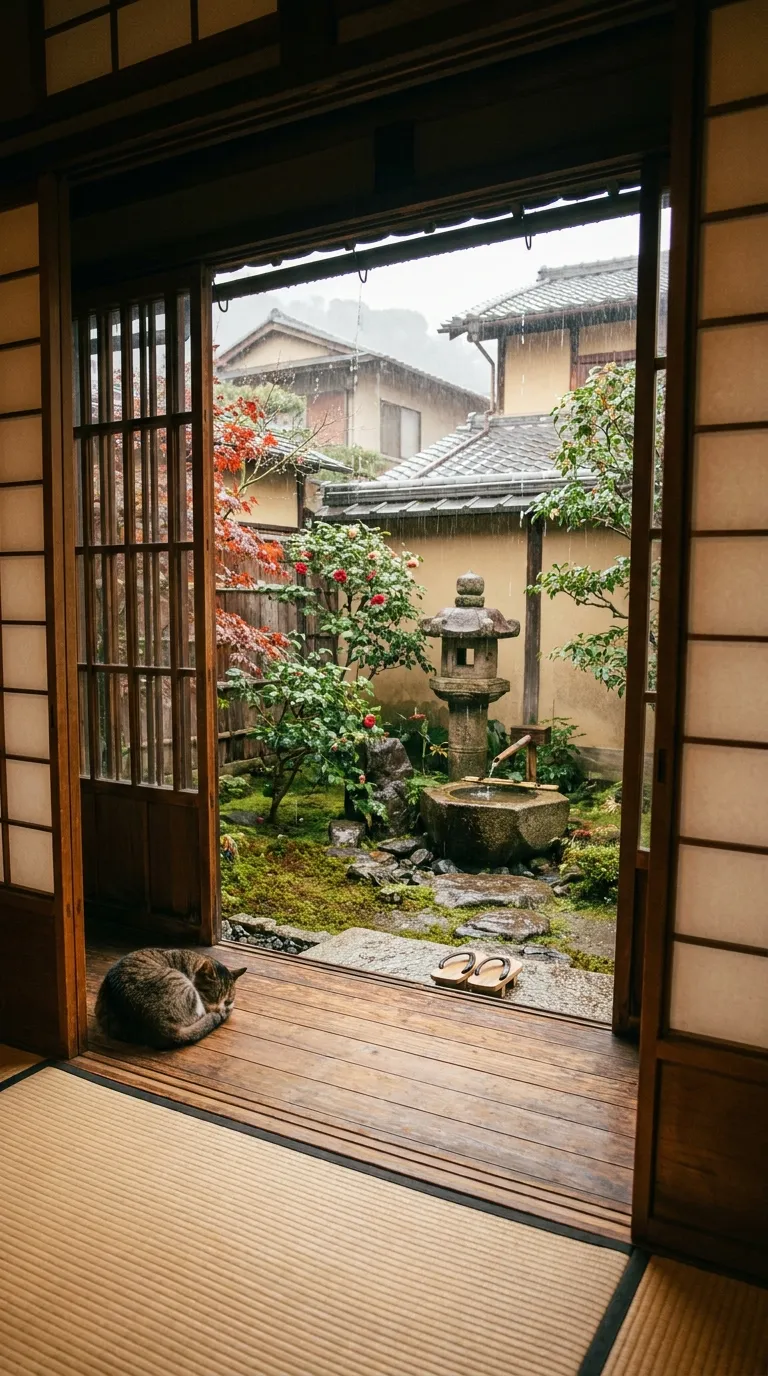
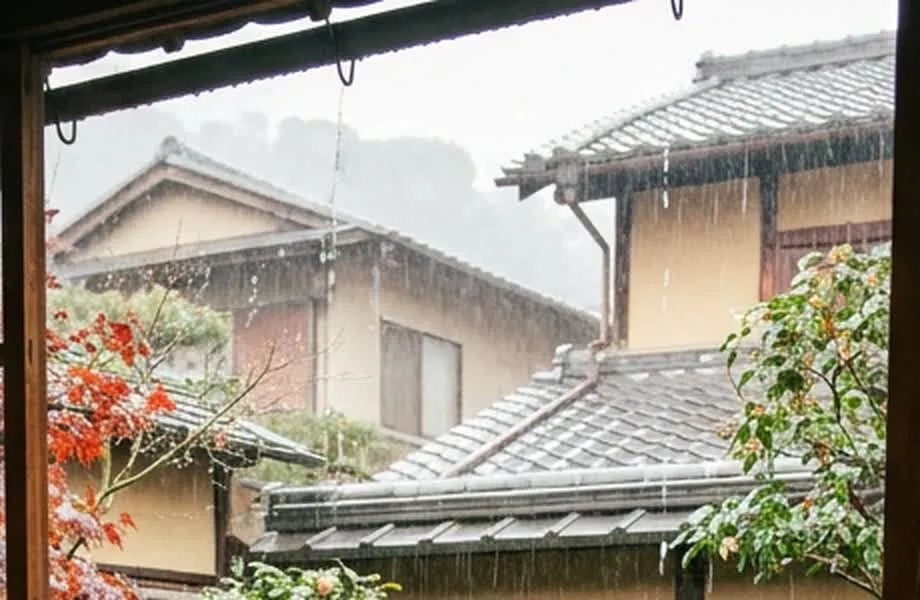
The negative prompt rule at the time read:
Distant modern architecture (square flat-roofed buildings, concrete structures, steel towers, utility poles, billboards) is forbidden, even as silhouettes dissolved in rain mist. All distant buildings must have sloped roofs (tile, wood shingle, cypress bark, or thatch).
The modern houses generated by the AI did not violate any part of this rule. They had sloped tile roofs, and were neither flat-roofed concrete buildings, steel towers, nor utility poles.
The negative rule had successfully prevented the obvious failure I had held in my head—modern skyscrapers or utility poles intruding into an Edo townscape. But the actual failure had slipped right through the net.
Looking across 21 prompts instructing distant buildings, 14 of them relied solely on roof shape to constrain the historical era.
No matter how many negative constraints I added, it was a losing battle. So I changed the approach to specifically describing what an Edo-period house is actually made of. What defines the era is not just the outline of the roof, but the walls, openings, and second-floor construction: earthen plaster, charred cedar siding (yakisugi), lattice windows, clay-grate windows (mushiko-mado), low mezzanine second floors (chūnikai), handmade irregular tiles, and bamboo gutters or no gutters at all. I added these concrete elements to the prompt.
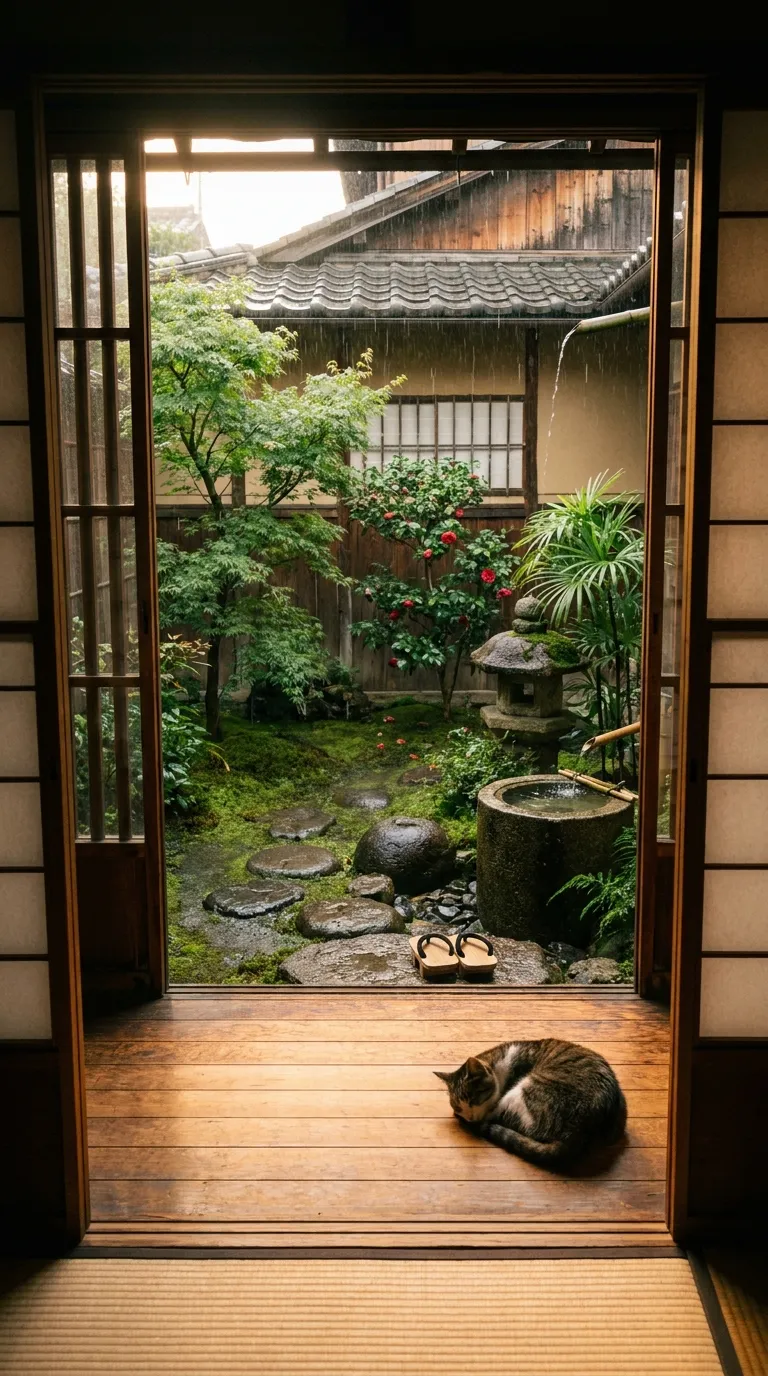
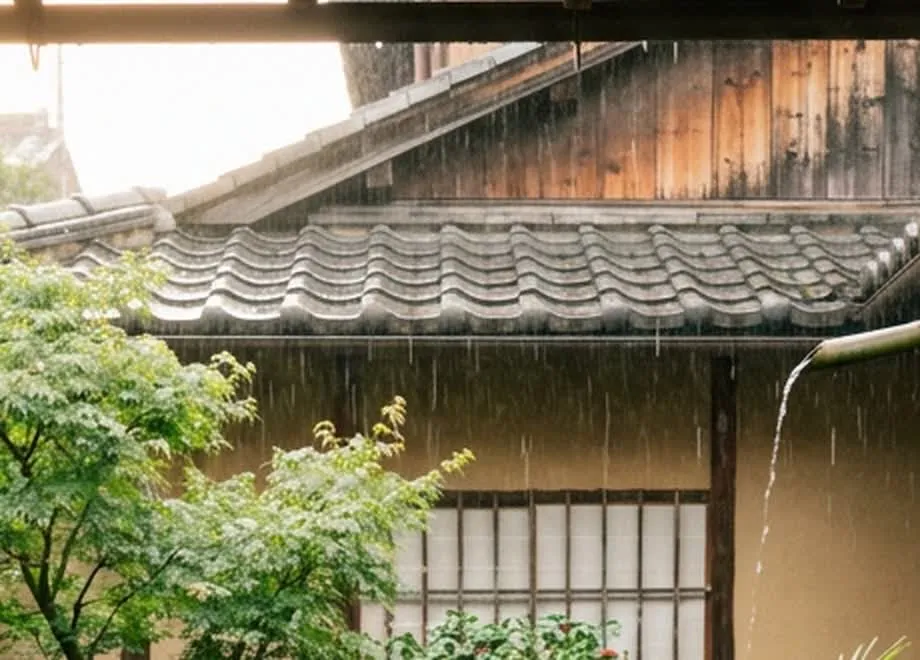
By concretely defining what markers identify the era, not only were instructions to the model clarified, but the checkpoints for humans during review also became clear.
Four Attempts to Get a Single Signboard Right
Another area where the prohibition approach struggled was signboard lettering. When generating a post-town inn (hatago), it took four full generation cycles just to settle the depiction of a single signboard.
Round 1 had a solid composition, but the kanji on the signboard of the inn across the street was garbled. It was not Japanese kanji, but an unnatural, distorted script resembling corrupted ancient Chinese glyphs.
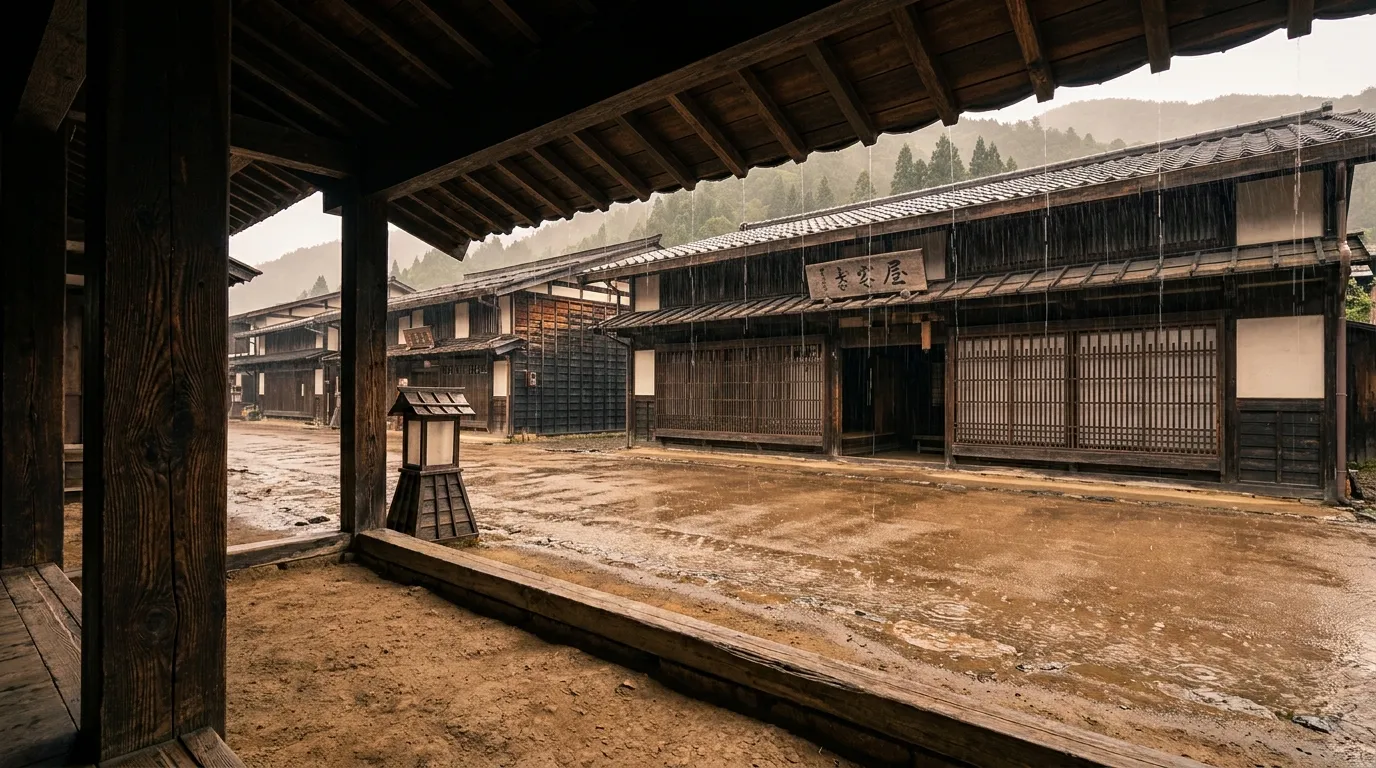
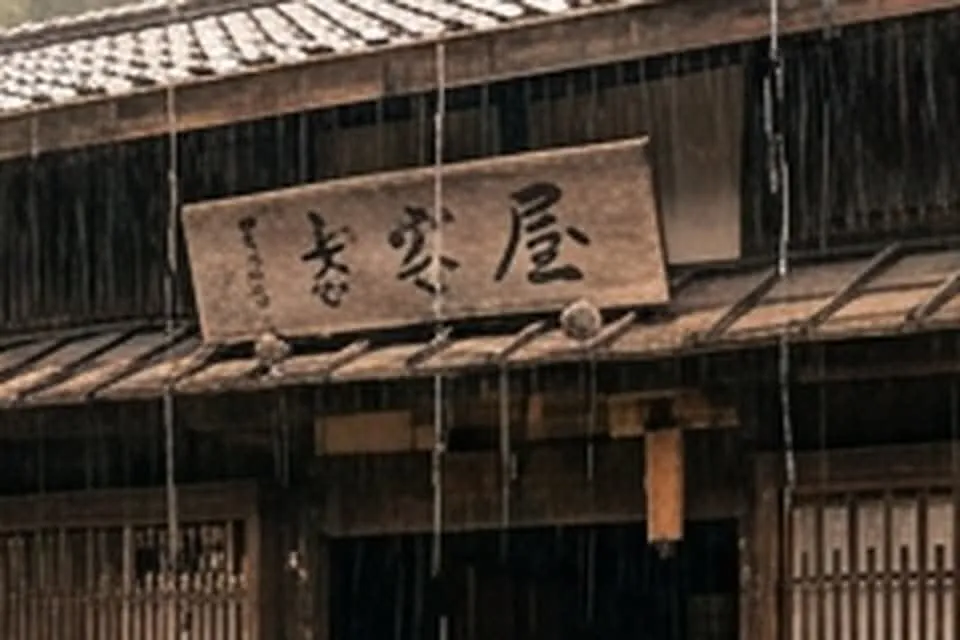
The instruction I gave the agent was simple: forbid generating legible text altogether.
The second image returned with every signboard turned into a blank, plain plank of weathered wood.
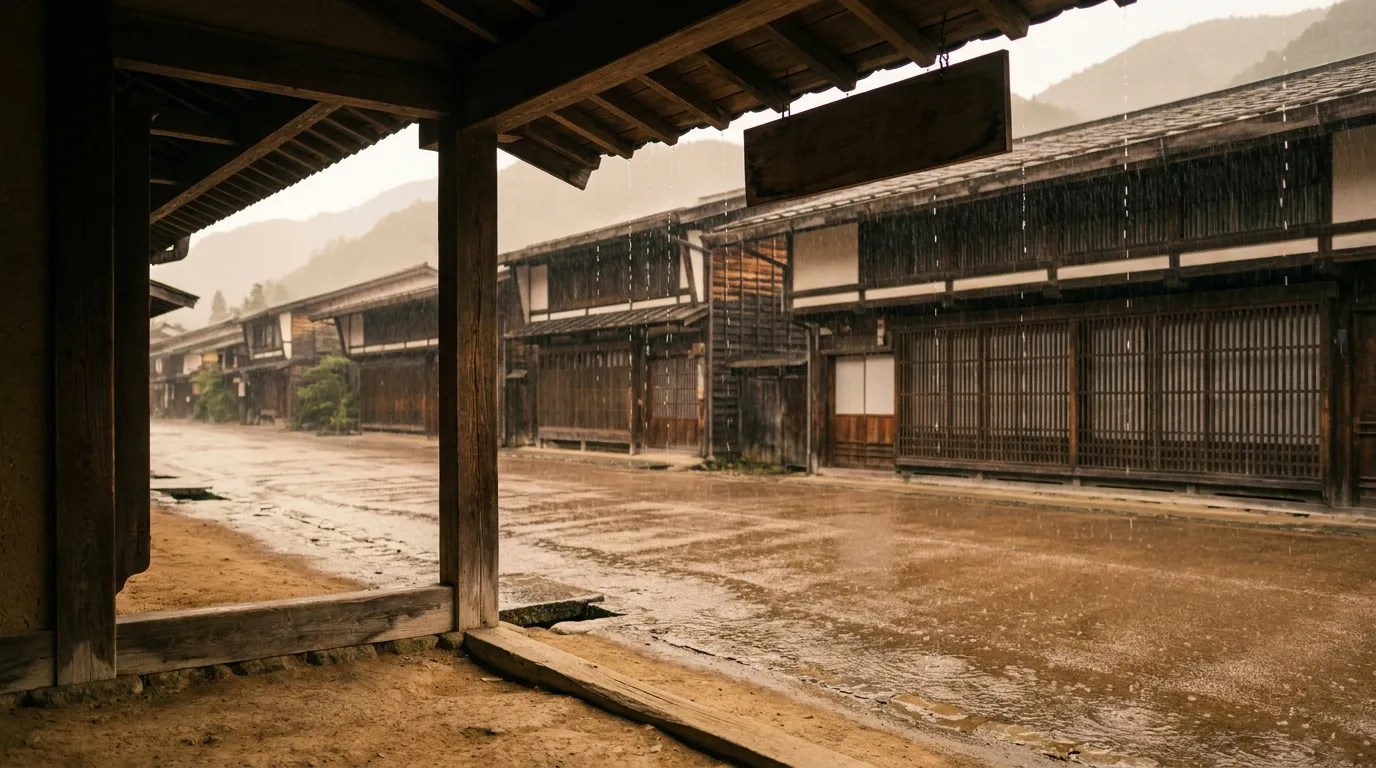
By stripping all text from the roadside signboards, the entire post town looked completely deserted, like an abandoned ghost town. Retaining the breath of everyday life even in scenes without visible people is an essential directorial principle of this channel.
For the third attempt, I instructed the model to write the single, correct kanji character “宿” (inn), and arranged everyday items around it: noren curtains, paper lanterns, and bundles of straw sandals hanging from the pillars. The character itself rendered cleanly, but this time it caught on historical plausibility.
Writing just the single character “宿” on a signboard is a modern abbreviation. While single-character signs existed in the Edo period for sake shops (“酒”) or pawnshops (“質”), post-town inns were traditionally identified by their trade name (yagō) like “Kameya”, or written as “御宿” (O-yado). It created a subtle dissonance similar to garbled characters—a discomfort that only someone familiar with Japanese language and historical context would detect.
Finally, on the fourth attempt, I directly specified the trade name “Kameya” for the inn. Only then did the scene match what I had envisioned.
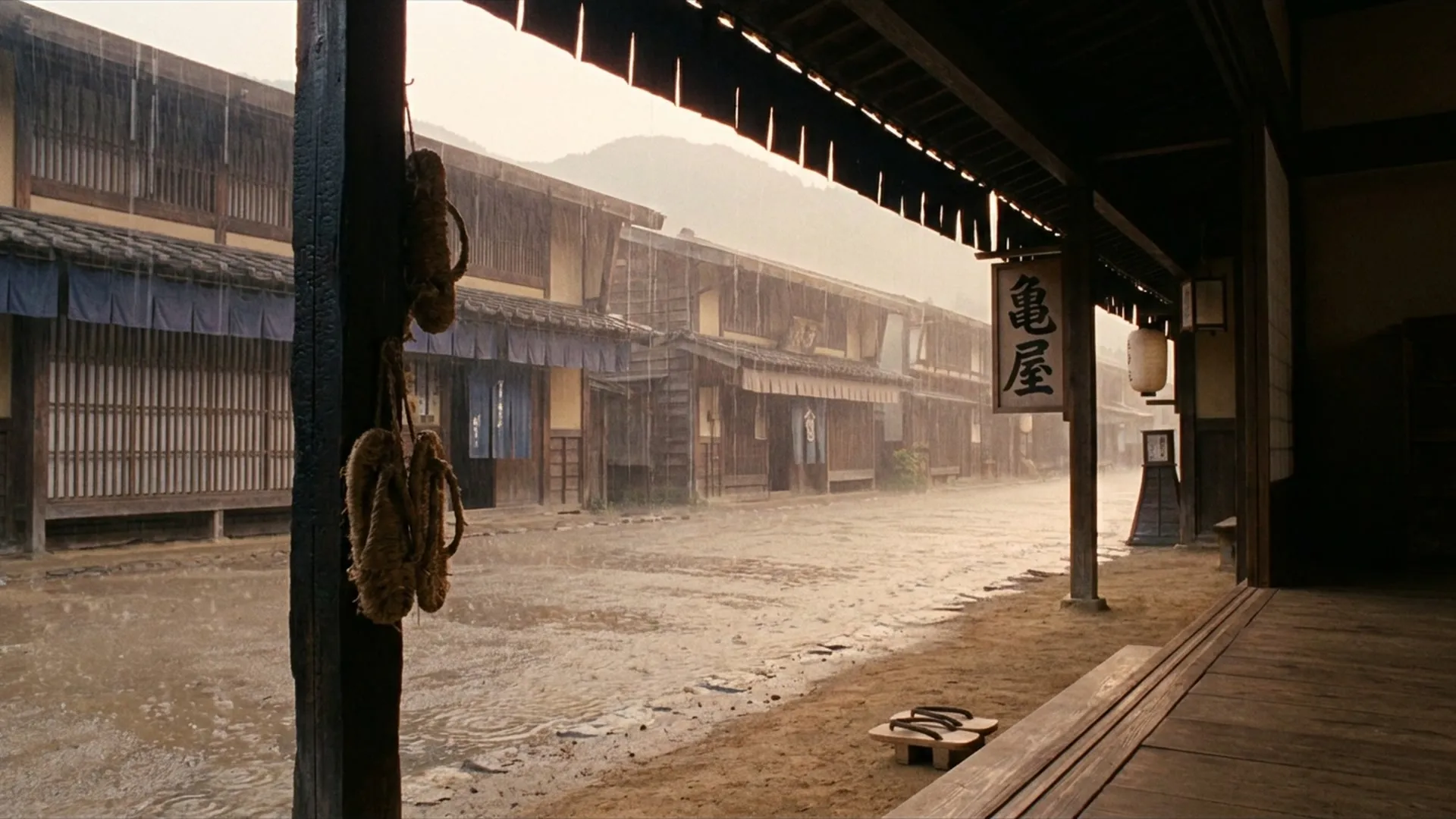
Image generation models tend to write characters on almost any wooden board visible in the frame, and usually only the single largest board ends up with correct kanji. Instead of trying to obfuscate or ban text, the most reliable approach was explicitly specifying the characters on the primary signboard, while using distance and misty rain in the composition to naturally leave the surrounding smaller boards illegible.
When Words in a Still Prompt Come Alive in Video
On this channel, we generate still images first with Nano Banana Pro, and then pass those stills into a video generation model to add rain.
During that process, words written in the prompt to create the still image repeatedly triggered unintended, violent motion during the subsequent video generation step.
In a Heian-period scene, the still prompt specified “water droplets falling to the ground and spreading tiny ripples.” In the finished video, lake-sized ripples surged across the soil. When a prompt mentioned “pampas grass swaying in the wind,” the grass whipped violently back and forth. A scene with “torrents of water spewing from rain gutters” resulted in a miniature waterfall bursting out from under the eaves. In one case, the Japanese metaphorical phrase “a town veiled in misty rain” (where the Japanese word for misty literally uses the character for smoke) caused the model to send plumes of chimney smoke rising into the sky.
At the still-image stage, the frame is frozen, so words describing motion cause no issues. But because video prompts are built on top of still prompts, and the still image itself is supplied as the input, the descriptions and visual cues from the still image exert a heavy influence on the video model.
A similar phenomenon happened with the rain itself. When white rain streaks were drawn clearly into the still prompt, the video model treated those streaks as part of the static landscape, and proceeded to pour a second layer of moving rain right over the frozen streaks.
Only when we limited the still image to environmental changes—mist, darkened wet ground, short drips hanging from the eaves—and left the falling rain entirely to the video model, did we finally get natural rainfall.
Drying the Image When You Don’t Want It to Move
No matter how many negative constraints were piled into the video prompt, they were repeatedly overwhelmed by the visual information inside the still image.
In a scene on the veranda of a post-town inn, I regenerated the video multiple times trying to stop water from unnaturally undulating on the wet wooden deck boards. Writing into the prompt that the puddles should be “standing still like a mirror” froze the puddle, but then the deck boards started warping. Pinning down the boards caused the garden soil to shake; pinning down the soil caused the shrubs to twitch.
In a rain scene, the model will try to move something. The negative constraints in the prompt only seemed to bounce that motion from one place to another.
With the exact same prompt, there were runs where the deck boards stopped moving, and runs where they did not. When I investigated the difference, the answer lay in the image. In runs where the motion stopped, the deck boards were a dry, weathered gray. In runs where they moved, the boards were wet and reflecting light.
A surface that appears glossy and reflective in the still image will be interpreted by the video model as a physical water surface and animated, no matter how many times the prompt insists: “Do not move.” It was at that point that I arrived at a fundamental understanding: prompt constraints only work when the underlying image supports them.
When Negative Prompts Ballooned to 600 Words
When we migrated to a different video engine, this inflation of negative constraints created a different problem.
When switching to Seedance, numerous instructions were piled on to suppress unwanted water movement: “This surface is rigid wood,” “This floor is completely dry,” “The water surface is a mirror and produces no ripples.” Before I knew it, the prompt had swelled to 965 English words, over 600 of which were negative constraints and prohibitions designed to suppress motion.
Later, when we regained access to our previous engine (Kling) through another channel, I tested video generation using our earlier, concise instructions. A beautiful video emerged effortlessly from a prompt of just 200 words.
Those 600 words of prohibitions had been piled up to brute-force a specific model that did not infer context. For a model with stronger contextual reasoning, those constraints had actually gotten in the way.
Describing What It Is Made Of
Through all this trial and error, a clearer structure for instructing generative AI began to emerge.
Negative constraints only plug the failures that humans can foresee. The generative model dodges those bans and invents entirely different forms of unnaturalness. And when you pile on too many prohibitions, you strip away the everyday life and atmospheric texture you originally wanted to capture.
What I focus on now when designing prompts is to stop forbidding what not to draw, and instead specify concretely what the subject is made of.
For an Edo-period house: not just the roofline, but the wall materials, window styles, and mezzanine heights. For an inn signboard: don’t hope for ambiguous lettering; specify the trade name directly. For surfaces where water must not move: don’t fight the model with prompt constraints; draw them as dry materials in the still image from the start.
Stop piling up negative constraints in words. Concretely describe the constituent elements, and remove anything you cannot control from the image stage itself. Once we made that clean distinction, prompts rarely broke down.
When integrating image and video generation AI into real products or production workflows, you often run into situations where prompt adjustments alone cannot achieve the desired result. If you are designing pipelines tailored to model characteristics or building reliable quality-control mechanisms, feel free to get in touch.